How to Become a Full Stack Developer in 2026? Complete Roadmap
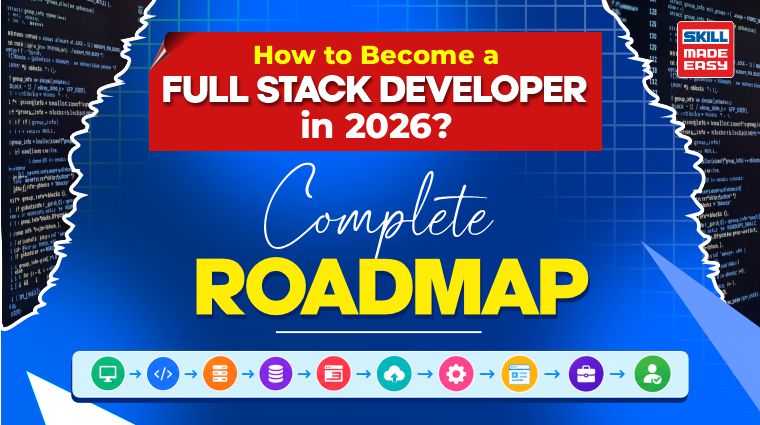
If you are a student, fresher, or complete beginner wondering how to become a full stack developer, the best approach is to follow a structured learning path, practise coding regularly, and build projects that demonstrate your skills.
A full stack developer roadmap helps you understand what to learn, which technologies to prioritise, and how to progress from basic programming concepts to building and deploying complete web applications.
Let’s dive deeper to understand how to become a full stack developer.
Table of Contents
- 1. What Is Full Stack Development?
- 2. How to Become a Full Stack Developer in 2026?
- 3. Full Stack Developer Roadmap: Step-by-Step Learning Path
- 3.1 Step 1: HTML, CSS, and JavaScript
- 3.2 Step 2: Frontend Development with React
- 3.3 Step 3: Backend Development with Node.js and Express.js
- 3.4 Step 4: Databases: MongoDB and SQL Basics
- 3.5 Step 5: Git, GitHub and REST APIs
- 3.6 Step 6: Authentication, Security and Deployment
- 3.7 Step 7: Gen AI Tools and AI Integration
- 3.8 Step 8: Build Projects and a Portfolio
- 4. Which Full Stack Projects Should Beginners Build?
- 5. Career Opportunities After Learning Full Stack Development
- 6. What Skills Are Required to Become a Full Stack Developer?
- 7. How Long Does It Take to Learn Full Stack Development?
- 8. How Can Generative AI Help Full Stack Developers?
- 9. Final Thoughts
- 10. People Also Ask
What Is Full Stack Development?
Full stack development is the process of building both the frontend and backend of a web application. It involves creating the interface users interact with, developing the server-side logic that processes requests, managing data, and connecting different application components.
A full stack developer understands how these parts work together to deliver a functional application.
For example, consider an online shopping website. The frontend displays products, prices, and shopping cart options. The backend manages user accounts, processes orders, and communicates with the database (stores data).
The three main layers of a typical web application are:
- •Frontend: The user-facing part of an application, built with HTML, CSS, JavaScript, and frameworks such as React.
- •Backend: The server-side component that handles business logic, user requests, APIs, and application operations using technologies such as Node.js and Express.js.
- •Database: The system that stores and retrieves application data, such as user profiles, product details, and order histories.
How to Become a Full Stack Developer in 2026?
To become a full stack developer in 2026, you need to learn web development fundamentals, master a frontend framework, understand backend programming and databases, practise API development, and build real-time projects.
You do not need to learn every programming language or framework available. Start with one technology stack and develop a strong understanding of how web applications work.
Follow this learning sequence:
- 1.Learn HTML, CSS, and JavaScript.
- 2.Build interactive user interfaces with React.
- 3.Develop server-side applications using Node.js and Express.js.
- 4.Learn MongoDB and SQL fundamentals.
- 5.Practise Git, GitHub, and REST API development.
- 6.Implement authentication, security, testing, and deployment.
- 7.Explore generative AI tools and AI-powered application features.
- 8.Build projects, create a portfolio, and prepare for interviews.
Full Stack Developer Roadmap: Step-by-Step Learning Path
This full stack developer roadmap 2026 follows a beginner-friendly sequence. Each stage builds on the previous one, helping you progress from writing your first webpage to deploying a complete web application.
Step 1: HTML, CSS, and JavaScript
Start with the three foundational technologies of frontend development.
- •HTML (HyperText Markup Language) defines the structure of a webpage, including headings, forms, images, links, and buttons.
- •CSS (Cascading Style Sheets) controls how a webpage looks, including its colours, layouts, spacing, typography, and responsiveness across devices.
- •JavaScript adds interactivity. It allows developers to validate forms, respond to button clicks, update page content, and communicate with APIs.
Focus on these concepts:
- •HTML elements, forms, semantic tags, and accessibility basics.
- •CSS selectors, the box model, Flexbox, Grid, and responsive design.
- •JavaScript variables, data types, functions, arrays, objects, loops, and conditions.
- •DOM manipulation, events, promises, and asynchronous JavaScript.
- •Fetching data from APIs and handling errors.
Step 2: Frontend Development with React
Once you are comfortable with JavaScript, learn React, a popular JavaScript library for building user interfaces. It is also the “R” in the MERN stack (MongoDB, Express.js, React, and Node.js), so it is a must if you want to excel in MERN development.
React helps developers create reusable UI components instead of writing the same interface code repeatedly. It is commonly used for dashboards, e-commerce platforms, learning portals, and interactive web applications.
Learn the following concepts:
- •Components, JSX, and props.
- •State management and event handling.
- •Hooks such as useState and useEffect.
- •Conditional rendering and lists.
- •Forms, validation, and component reuse.
- •Routing and basic application navigation.
- •API integration and loading or error states.
Example: An online course platform might use separate React components for course cards, search filters, user profiles, and a course details page.
Step 3: Backend Development with Node.js and Express.js
Frontend development handles the user interface, but applications also need server-side logic. This is where Node.js and Express.js become important.
Node.js allows JavaScript to run outside the browser, while Express.js provides tools for creating web servers and APIs.
Learn these backend concepts:
- •Node.js fundamentals and npm package management.
- •Creating an Express server and defining routes.
- •HTTP methods such as GET, POST, PUT, PATCH, and DELETE.
- •Request parameters, query strings, request bodies, and responses.
- •Middleware and error handling.
- •Environment variables and configuration.
- •Separating routes, controllers, and business logic.
Example: A task management application may need an endpoint to retrieve tasks, another to create a task, and another to update its completion status.
Step 4: Databases: MongoDB and SQL Basics
Databases are a reliable way to store and retrieve information. In the MERN stack, MongoDB is the primary database. It stores data in document-oriented structures, making it a natural option for many JavaScript-based applications.
Learn MongoDB concepts such as collections, documents, CRUD operations, queries, indexes, and data modelling. You can use Mongoose to define schemas and interact with MongoDB from a Node.js application.
However, you should not ignore SQL. Relational databases such as PostgreSQL and MySQL are widely used in business applications.
Understand these SQL fundamentals:
- •Tables, rows, columns, and primary keys.
- •SELECT, INSERT, UPDATE, and DELETE.
- •Filtering, sorting, and grouping.
- •Joins and relationships between tables.
- •Basic database normalisation.
Step 5: Git, GitHub and REST APIs
A full stack developer needs more than coding knowledge. Version control and API integration are also essential for managing projects and collaborating with other developers.
Git tracks changes to your code, while GitHub hosts repositories and supports collaboration, code reviews, and project documentation.
Start with these Git commands:
- •
git initto initialise a repository. - •
git addto stage changes. - •
git committo save a snapshot. - •
git pushto upload changes. - •
git pullto retrieve updates. - •
git branchto manage separate lines of development.
Next, understand REST APIs, which allow different application components to communicate using HTTP requests. Learn how to send requests, work with JSON, interpret HTTP status codes, and handle API errors.
Step 6: Authentication, Security and Deployment
You must also understand how to protect user data in your project and make the application accessible online.
Begin with authentication, which verifies a user’s identity, and authorisation, which determines what that user is allowed to do.
Learn about:
- •Password hashing using established libraries.
- •Sessions and token-based authentication.
- •Role-based access control.
- •Input validation and safe error handling.
- •HTTPS, secure cookies, and environment variables.
- •Common web vulnerabilities, including cross-site scripting and injection attacks.
- •Basic testing and debugging.
Important: You should never store passwords as plain text or expose API keys in frontend code or public repositories.
After learning the basics, deploy your application. Common options include Vercel or Netlify for frontend applications, suitable Node.js hosting platforms for the backend, and managed database services for persistent data. Check each provider’s current pricing, free-tier limits, and deployment requirements.
Step 7: Gen AI Tools and AI Integration
Generative AI is becoming useful in software development, from explaining unfamiliar code to helping developers draft tests and troubleshoot errors.
Begin with learning how to use AI coding assistants responsibly. They can help you understand error messages, generate starter code, explain APIs, and suggest improvements. However, you should review the output, run tests, and understand the code before using it.
Once your development fundamentals are strong, explore AI integration in web applications.
You can learn to:
- •Connect an application to an AI model through an API.
- •Send user prompts from a frontend to a secure backend.
- •Display generated text or summaries.
- •Build a simple FAQ chatbot using a model API.
- •Handle API failures, usage limits, and unexpected outputs.
- •Protect API keys and avoid sending sensitive user information unnecessarily.
Example: You could build a learning platform that generates quiz questions from study notes. React handles the interface, Express manages requests, MongoDB stores relevant application data, and an AI API generates the questions.
Step 8: Build Projects and a Portfolio
Your final step is to bring the technologies together in projects that demonstrate your ability to solve practical problems.
Choose projects that progress from simple interfaces to complete applications with backend logic, database operations, authentication, and deployment.
For each project, you should aim to:
- 1.Define the problem and intended users.
- 2.Sketch the interface and identify key features.
- 3.Build the frontend and backend in manageable stages.
- 4.Connect the database and implement APIs.
- 5.Test important user flows and handle errors.
- 6.Deploy the application and document it on GitHub.
- 7.Explain the technical decisions and improvements you would make next.
Want to learn full stack development with hands-on projects? Explore our Free Full Stack Web Development with Gen AI course to learn the MERN stack, build real-world applications, and explore Gen AI integration.
Explore the CourseWhich Full Stack Projects Should Beginners Build?
Beginners should build projects that gradually increase in complexity. Start with a simple frontend application, then add APIs, databases, authentication, and deployment as your skills improve.
Here are five practical full stack projects for your portfolio.
Personal Portfolio Website
Key features:
- •Showcase your skills, projects, and achievements.
- •Add a contact form and social media links.
- •Create a responsive design for mobile and desktop.
Skills demonstrated:
Task Management Application
Key features:
- •Create, edit, delete, and organize tasks.
- •Track task status and deadlines.
- •Store tasks in a database.
Skills demonstrated:
E-Commerce Website
Key features:
- •Display products with search and filtering options.
- •Add products to a shopping cart.
- •Implement user authentication and order tracking.
Skills demonstrated:
Student Learning Management System
Key features:
- •Browse courses and access learning materials.
- •Track course progress and completed lessons.
- •Manage student accounts and course details.
Skills demonstrated:
AI-Powered Study Assistant
Key features:
- •Summarize study notes and documents.
- •Generate quizzes and practice questions.
- •Answer student queries using an AI API.
Skills demonstrated:
Career Opportunities After Learning Full Stack Development
After completing the full stack developer roadmap, you can explore entry-level software development roles, internships, and junior web development opportunities.
Common career paths include:
- •Junior Full Stack Developer: Works on frontend and backend features under the guidance of experienced developers.
- •Frontend Developer: Focuses on interfaces, accessibility, performance, and user experience.
- •Backend Developer: Develops APIs, server-side logic, database integrations, and application security.
- •MERN Stack Developer: Builds applications using MongoDB, Express.js, React, and Node.js.
- •Software Engineer: Designs, builds, tests, and maintains software systems.
- •Freelance Web Developer: Builds websites and web applications for clients, depending on their requirements and experience.
What Skills Are Required to Become a Full Stack Developer?
The full stack developer skills required include frontend development, backend programming, database management, and version control. If you follow a full stack developer roadmap for beginners, focus on these essential skills:
- •Frontend development: Learn HTML, CSS, JavaScript, and React to build responsive user interfaces.
- •Backend development: Learn Node.js, Express.js, Python, or another backend technology to handle server-side logic.
- •Database management: Understand SQL or MongoDB to store and manage application data.
- •Version control: Use Git and GitHub to track changes and collaborate with developers.
- •APIs and security: Learn REST APIs, authentication, and basic web security.
- •Testing and deployment: Understand debugging, software testing, and cloud deployment.
These are the core full stack developer skills required to build and maintain complete web applications.
How Long Does It Take to Learn Full Stack Development?
Learning full stack development can take 6–12 months if you practise consistently for 1–3 hours daily. Your learning time depends on your programming experience, chosen technologies, and project complexity.
A full stack developer roadmap 2026 can help you organize your learning into manageable stages, from HTML, CSS, and JavaScript to backend development, databases, testing, and deployment. Build projects such as portfolio websites, task management applications, and e-commerce websites to gain practical experience.
If you want to know how to become a full stack developer, focus on understanding the fundamentals and building a portfolio rather than rushing through tutorials.
How Can Generative AI Help Full Stack Developers?
Generative AI can help full stack developers write code, debug errors, generate test cases, and improve development productivity. As part of your full stack developer roadmap, learn to use AI tools responsibly for tasks such as:
- •Code generation: Generate initial components, API routes, and boilerplate code.
- •Debugging: Understand error messages and explore possible solutions.
- •Testing: Create test cases and identify potential edge cases.
- •Documentation: Generate code explanations and technical documentation.
- •Learning: Understand unfamiliar frameworks and programming concepts.
However, always review AI-generated code for accuracy, security, and performance. AI tools can support your development process, but strong programming fundamentals remain essential for becoming a capable full stack developer.
Final Thoughts
Learning full stack development in 2026 is achievable when you follow a clear roadmap and practise consistently. Start with HTML, CSS, and JavaScript, move to React, learn Node.js and Express.js, and understand databases, APIs, security, and deployment. Use the MERN stack as your initial learning path instead of trying to master multiple stacks at once.
The most important part of this full stack developer roadmap is applying what you learn. Build small projects, connect your frontend to a backend, store real application data, test your work, and deploy your applications. Now, gradually develop a portfolio that demonstrates your ability to solve problems independently.
You do not have to know everything before starting your career. Focus on the fundamentals, keep improving your projects, and use AI tools to support your learning rather than replace it. A consistent, project-driven approach can help you progress from a complete beginner toward an entry-level full stack development role.
People Also Ask
1. How do I become a full stack developer with no experience?
Start by learning HTML, CSS, and JavaScript. Then learn React, Node.js, Express.js, databases, Git, and deployment. Build two or three complete projects, publish your code on GitHub, and practise technical interviews before applying for internships and junior developer roles.
2. Which programming language is best for full stack development?
JavaScript is a practical starting point for beginners following the MERN stack because it can be used for both frontend and backend development. Other options include Python with Django or Java with Spring Boot, depending on your interests and target roles.
3. Do I need a computer science degree to become a full stack developer?
No, a computer science degree is not always required if you have the required practical skills, project experience, problem-solving ability, and interview performance. Some employers do have specific degree or qualification requirements, so check the eligibility criteria for each role.
4. Which full stack projects are best for a resume?
A task manager, e-commerce application, learning management system, and AI-powered study assistant are useful portfolio options. Choose projects that demonstrate different skills, such as API development, database integration, authentication, testing, and deployment.